
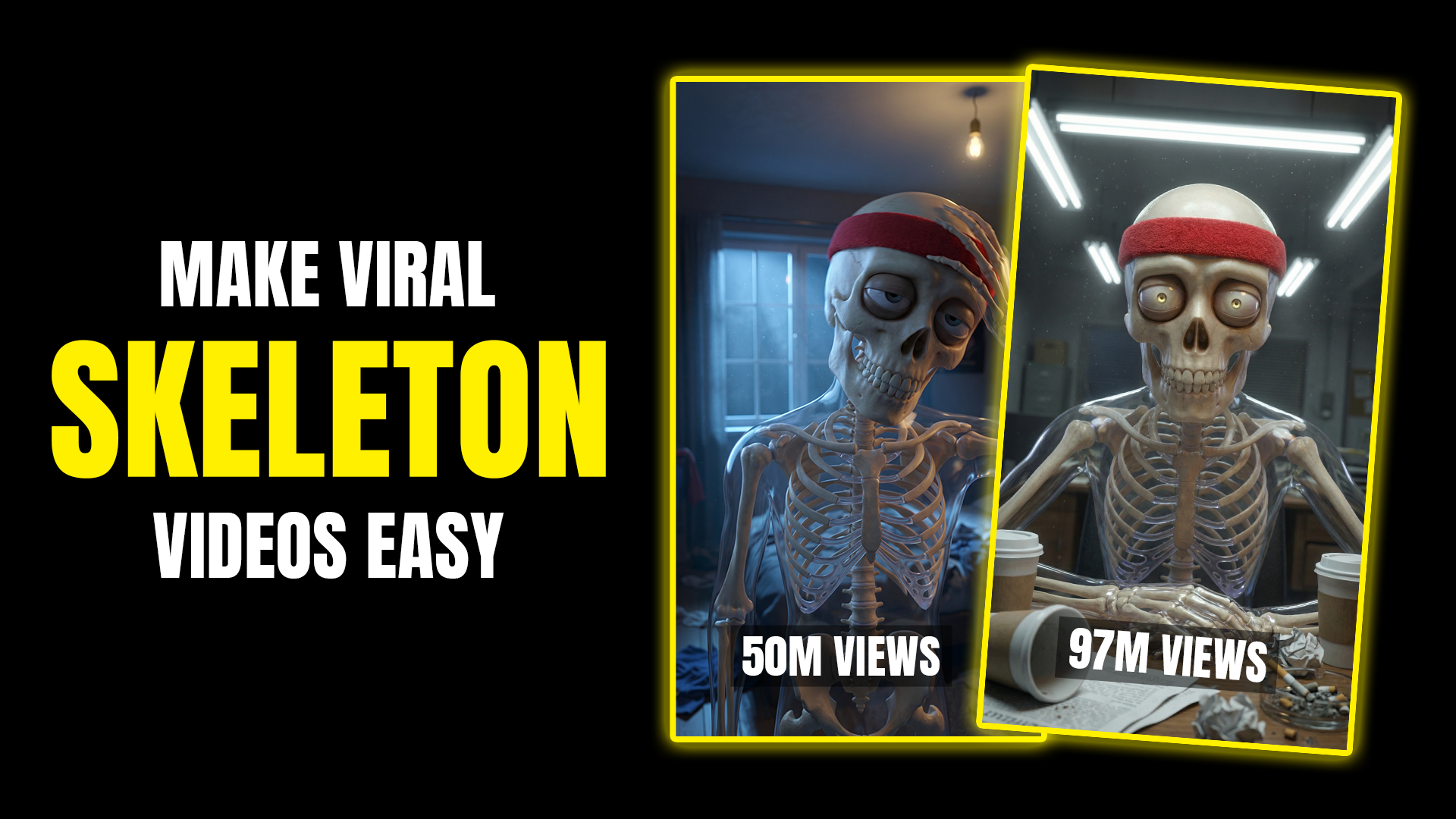
Learn how creators are making viral skeleton youtube shorts videos using AI tools like ChatGPT, OpenArt, and ElevenLabs. Step-by-step guide for YouTube Shorts beginners.
Viral Skeleton Educational Videos Are Exploding on YouTube Shorts
short-form educational videos featuring animated skeletons are currently pulling millions of views on YouTube Shorts. What’s surprising is that even brand-new channels with zero subscribers are riding this trend successfully.
These videos combine simple health or science topics with eye-catching AI visuals, short narration, and fast pacing. The best part? You don’t need advanced editing skills or expensive software.
This guide breaks down exactly how to create viral skeleton shorts using AI, the same workflow creators are using right now.
Why Skeleton Shorts Are Going Viral
There are a few clear reasons this format works so well:
• Skeleton visuals instantly grab attention
• Educational content builds trust and watch time
• Short, curiosity-based scripts boost retention
• AI tools remove the need for animation skills
YouTube Shorts favors high retention and fast engagement, and this format checks every box.
Step 1: Generate Skeleton Video Prompts Using ChatGPT
Start by opening ChatGPT and heading to Explore GPTs. Search for a GPT designed for skeleton shorts or image-prompt generation.
This type of GPT allows you to:
• Enter a simple topic idea
• Upload a reference image if needed
• Receive multiple detailed text-to-image prompts
Example topic you can enter:
“What happens if you take protein powder for 30 days?”
The GPT will generate 6 structured image prompts, each representing a scene in your short video.
Copy the first prompt.
Step 2: Create Skeleton Images Using Google Flow
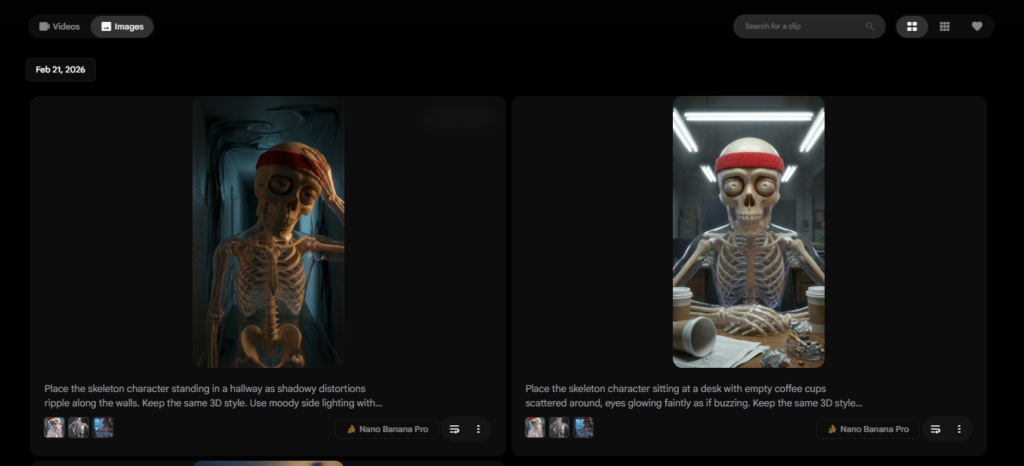
Next, open Flow and switch to the Image Generation section.
Recommended settings for viral Shorts(viral skeleton youtube shorts):
• Model: Nano Banana Pro
• Aspect Ratio: 9:16 (vertical)
• Resolution: 2K
• Image Count: 1–2 per prompt
Important Tip (Very Important for Consistency)
Upload a skeleton reference image in the Omni Reference section. This ensures every image keeps the same skeleton style, pose accuracy, and realism.
Paste the first text-to-image prompt and generate the image.
Repeat this process for all prompts provided by ChatGPT.
By the end, you’ll have a complete visual story told through skeleton images.
Step 3: Turn Images Into Short Videos (Image-to-Video)
Now switch to the Video tab inside OpenArt.
Workflow:
• Choose Image-to-Video
• Model: Kling 2.6
• Upload one image
• Write a short motion prompt (small movements work best)
• Duration: 5 seconds
• Audio: OFF
Repeat this for each image you generated.
You’ll now have multiple short video clips, each smoothly animated.
Step 4: Generate Viral Voice-Over Using ElevenLabs
For narration, go to ElevenLabs.
Steps:
• Paste a short script generated by ChatGPT
• Choose a realistic AI voice
• Keep tone educational and curious
• Export audio
Example hook style script:
“What happens if you take protein powder for 30 days? Day one…”
Short, punchy narration works best for retention.
Step 5: Assemble and Upload Your YouTube Short
Combine all video clips and the voice-over using any basic video editor.
Final tips before uploading:
• Keep total length under 60 seconds
• Add bold captions
• Use curiosity-driven titles
• Add relevant hashtags
CUSTOM PROMPT:
3D skeleton characters Script Prompt
3D skeleton characters Prompt
Best Topics for Skeleton Educational Shorts
These topics perform extremely well:
• Protein and supplements
• Human body facts
• What happens if you stop eating sugar
• Effects of smoking or caffeine
• Fitness and muscle growth
• Brain and sleep science
Educational curiosity + skeleton visuals = viral potential.
Is This Method Beginner-Friendly?
Yes. This workflow is:
• Beginner-safe
• No animation skills required
• No filming or camera needed
• Scalable for daily uploads
That’s why new channels are growing fast with this format.
Final Thoughts
Mr.H, skeleton educational Shorts are not a gimmick — they’re a data-backed trend driven by AI efficiency and viewer psychology. If you’re looking to grow fast on YouTube Shorts or experiment with viral AI content, this format is one of the strongest options right now.
For more viral AI prompts, workflows, and content strategies, keep exploring viralaiprompts.
SEO Keywords (Primary + Secondary)
viral skeleton videos
skeleton youtube shorts
ai youtube shorts tutorial
how to make skeleton videos
ai educational shorts
openart ai tutorial
chatgpt image prompts
elevenlabs ai voiceover
youtube shorts growth strategy
ai content creation