
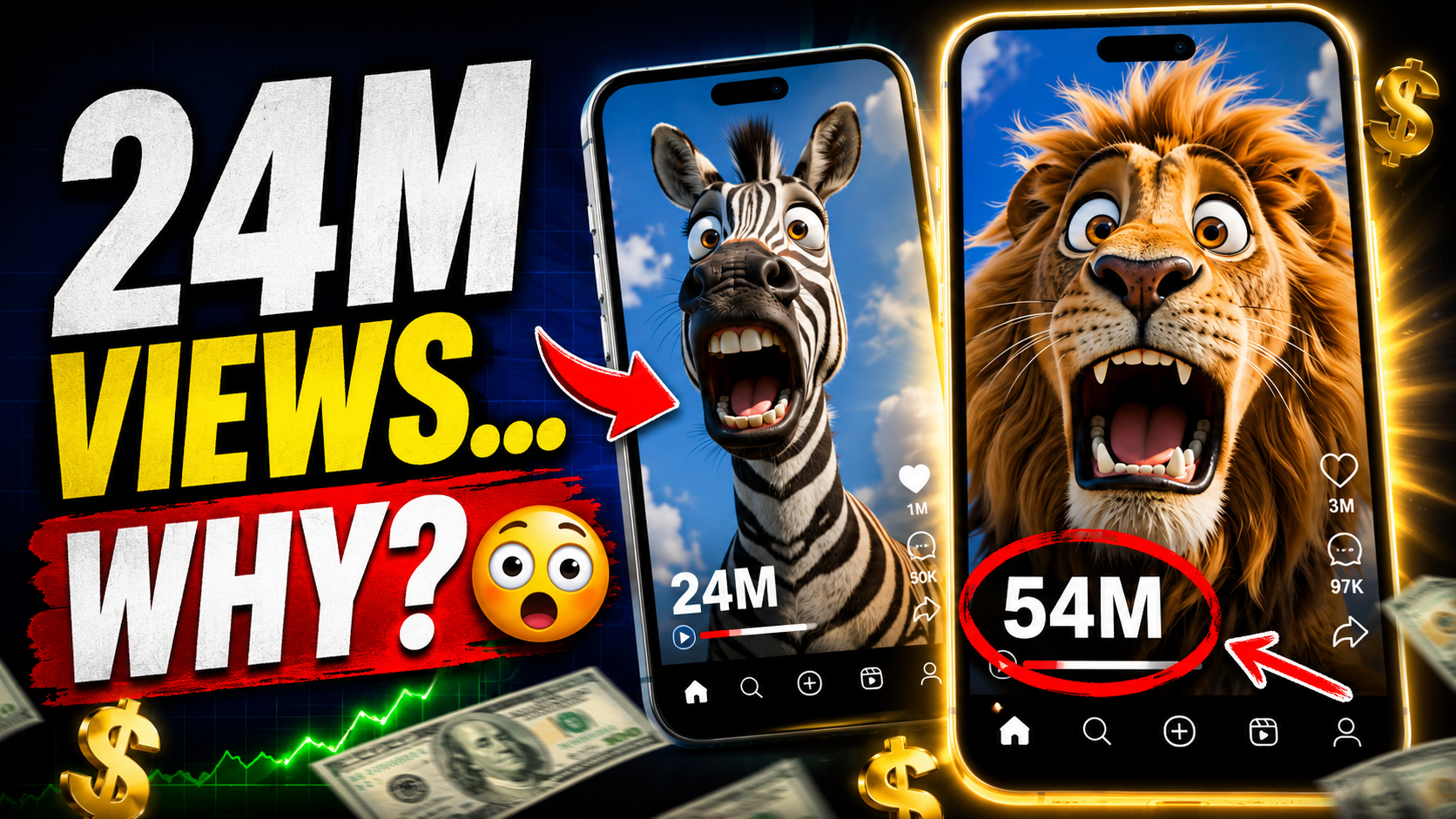
If you’ve been scrolling through Instagram Reels, TikTok, or YouTube Shorts lately, chances are you’ve stumbled across a wave of oddly hilarious, ultra-close-up 3D animal animations
— a sheep sniffing the camera, a goat gasping in shock, a llama leaning in for a dramatic close-up. This fresh, hidden niche is exploding right now, and the best part? You don’t need any animation skills, expensive software, or editing experience to create these videos yourself.
In this guide, I’ll walk you through exactly how to make your own viral AI animal animation videos — completely free — using Google Flow and a single “master prompt.” By the end, you’ll have a repeatable formula you can use to churn out scroll-stopping content in under two minutes per video.
Why This AI Animal Animation Niche Is Going Viral
Before we dive into the tutorial, it’s worth understanding why this content format is performing so well:
- Unexpected humor – The exaggerated expressions and sudden reactions trigger genuine laughs, which drives shares and saves.
- Extreme close-up, fish-eye framing – This unusual camera angle feels fresh and pattern-interrupts the endless scroll.
- Short-form friendly – These clips are naturally suited to 9:16 vertical video, making them perfect for Shorts, Reels, and TikTok.
- Low competition, high novelty – Because it’s a hidden niche, saturation is low, meaning your videos have a better shot at reaching the algorithm’s “For You” page.
- Zero production cost – With the right AI tool and prompt, anyone can produce studio-quality animation without a camera, actors, or animation software.
What You’ll Need
- A free Google account
- Access to Google Flow (Google’s AI video generation tool)
- The master prompt (shared below and linked in the description)
- A few minutes of your time
That’s it. No paid subscriptions, no downloads, no editing software required.
Step-by-Step: How to Create Your AI Animal Animation Video
Step 1: Copy the Master Prompt
Grab the master prompt from the link in the description (also included in full below). This prompt is the secret sauce — it’s been carefully structured to consistently produce that viral, comical, extreme-close-up animation style.
Step 2: Head to Google Flow
Open Google Flow and select the Video option to start a new generation.
Step 3: Set Your Video Ratio to 9:16
Since this content is built for Shorts, Reels, and TikTok, set your aspect ratio to 9:16 (vertical). This ensures your video is native-ready for every short-form platform without cropping.
Step 4: Choose Your Number of Outputs
Decide how many variations you want Flow to generate. Creating multiple outputs at once gives you options to pick the best-performing take — and lets you batch-produce content for an entire week in one sitting.
Step 5: Set the Video Model to Omni Flash
Select Omni Flash as your video model. This model is optimized for fast, high-quality character animation generation, which is exactly what this niche demands.
Step 6: Set Duration to 10 Seconds
Click the 10-second duration option. Ten seconds is the sweet spot for this format — long enough to build the comedic beat (sniff → shock → tilt → lean in) but short enough to keep viewers watching on loop.
Step 7: Paste the Master Prompt and Generate
Paste the master prompt into the input field and hit Enter. Within seconds, Google Flow will generate your fully animated, expressive AI animal video — ready to download and post.
The Master Prompt (Copy and Use)
Here’s the exact prompt structure used to create the viral sheep animation in this tutorial. Simply swap out the [Animal] and [Background] variables to generate endless variations:
Prompt: A comical, highly expressive 3D animated character video of a [Animal: Sheep]. The camera uses an extreme close-up, low-angle fish-eye lens, looking up against a background of [Background: a bright blue sky with fluffy white clouds]. The character has highly detailed, tactile textures and big, goofy, wide eyes.
Action: The character starts with its nose pressed right against the lens sniffing, abruptly jerks back in shocked surprise with a wide-eyed, open-mouthed gasp, tilts its head quizzically, and then leans all the way back in for a close-up sniff into the camera. Playful, high-end character animation style with funny, exaggerated expressions.
Pro Tip: Customize the Formula
This prompt is designed as a template. Try swapping in different animals and backgrounds to create an entire series:
- Animal: Goat, Llama, Alpaca, Panda, Fox, Cow, Duck, Owl
- Background: A sunny meadow, a snowy mountain, a farm barn, a colorful jungle, a city skyline
Each new combination gives you a fresh, unique video using the exact same proven structure — meaning you can scale a whole content calendar from one master prompt.
Watch the Full Tutorial
Prefer to watch instead of read? Check out the full step-by-step video tutorial below:
Final Thoughts
This hidden AI animal animation niche is proof that you don’t need expensive tools or animation experience to create viral, engaging content. With Google Flow, a solid master prompt, and about two minutes of your time, you can produce studio-quality, comedic animal animations ready to post across Shorts, Reels, and TikTok.
Every prompt used in this tutorial is available in the description — so grab them, start experimenting, and get ahead of the trend before it becomes oversaturated.
If you want to keep discovering viral AI content niches before everyone else, subscribe to Unseen Prompts for more free prompts, tutorials, and strategies.
Keep creating, keep experimenting, and stay unseen.
FAQ
Is Google Flow really free to use? Yes, Google Flow offers free access to generate AI videos, making this workflow accessible to anyone getting started with AI content creation.
What video ratio should I use for Shorts and Reels? Always use 9:16 (vertical) to ensure full-screen compatibility across TikTok, YouTube Shorts, and Instagram Reels.
Can I use this master prompt for other characters, not just animals? Yes — while this template is optimized for animal characters, you can adapt the structure (camera angle, action sequence, expression style) for other comedic character concepts as well.
How long does it take to generate a video? Using Google Flow with the Omni Flash model, most videos generate in under two minutes.