
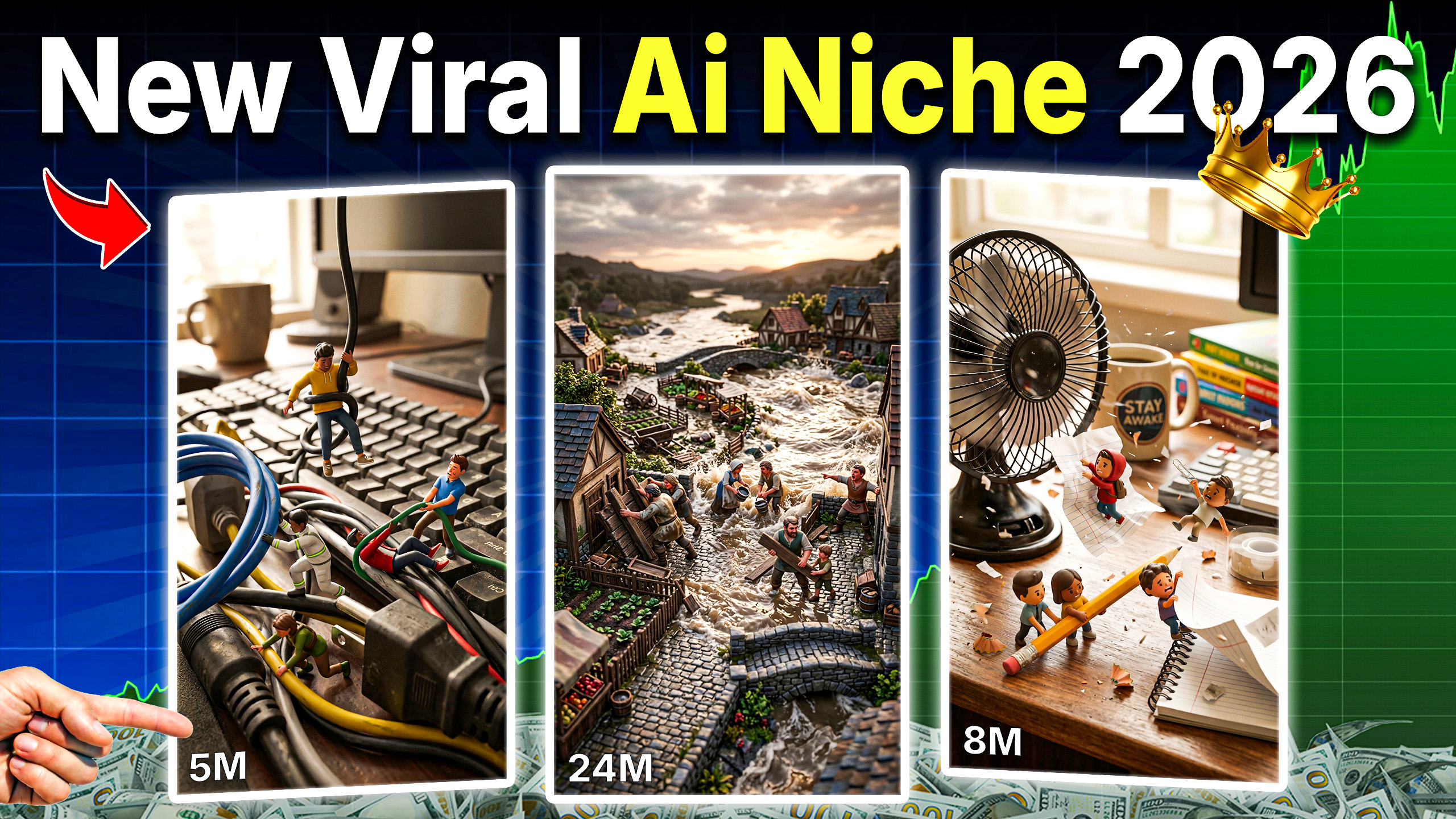
Have you scrolled past one of those tiny-figurine “rescue” clips lately — the ones where miniature people are trapped in a mini disaster and a giant human hand swoops in to save them? If you have, you already know how satisfying they are to watch. If you haven’t, you’re about to see why creators are obsessed with them.
One TikTok account built around this exact format has already crossed 150,000 followers, with individual clips pulling in 4 million, 7 million, and even 20+ million views — from short, simple videos that take only a few minutes to produce with AI.
In this guide, we’ll break down exactly what “Mini Rescue” videos are, why the format performs so well, and how you can generate your own from scratch — even with zero video editing or animation experience. You’ll also get the full master prompt used to generate unlimited scenario ideas on demand.
What Are Mini Rescue AI Videos?
Mini Rescue videos follow a simple, three-beat cinematic formula:
- The Struggle — Tiny stylized 3D figurine people face a dramatic, relatable problem (a flood, a fire, a stuck object, a collapsing structure).
- The Save — A giant, real human hand enters the frame holding an everyday object and fixes the problem in one satisfying motion.
- The Celebration — The tiny people cheer, and the hand exits, leaving behind a perfectly resolved mini-world.
It’s part stop-motion charm, part disaster movie, part oddly satisfying content — and it taps into the same psychological hooks that make “satisfying” and “scale contrast” videos some of the best-performing short-form content on TikTok, Instagram Reels, and YouTube Shorts.
Why This Format Goes Viral
A few reasons this style consistently racks up massive view counts:
- Instant visual hook — the scale contrast (tiny world vs. giant hand) grabs attention in the first second.
- Built-in tension and payoff — problem, rescue, celebration is a complete story arc in under 15 seconds.
- Endless variation — the same formula can be reused with unlimited new scenarios, so audiences keep coming back.
- Low production barrier — with the right AI tools, a single creator can produce these solo, without a camera, actors, or physical props.
Tools You’ll Need
To recreate this workflow, you only need three things:
- ChatGPT — to generate scenario ideas and structured image/video prompts using the master prompt below.
- Google Flow — to turn the image prompt into a still frame using Nano Banana 2.
- Seedance 2.0 (via OpenArt or Google Flow’s animate feature) — to bring the still image to life as a short video.
No design software, no animation skills, and no filming required.
The Master Prompt: Mini Rescue Generator
This is the exact system prompt that turns ChatGPT into a “Mini Rescue Generator” — an AI that only ever outputs two things: a batch of 10 scenario ideas, or a fully structured image + video prompt pair once you pick one. Copy the whole block below and paste it into ChatGPT to get started.
Mini Rescue Video Master Prompt:
Step-by-Step: How to Make Your Own Mini Rescue Video
Step 1: Load the Master Prompt
Open ChatGPT and paste the entire master prompt above. Hit enter. The AI will immediately respond in Idea Mode, giving you 10 fresh mini rescue scenarios to choose from — each paired with a unique emoji and a short, punchy description.
Step 2: Pick a Scenario
You can:
- Type the number of a scenario you like
- Describe your own custom idea
- Say “more” to get a completely fresh batch of 10
Once you choose, the GPT switches into Generation Mode and outputs two ready-to-use prompts: an image prompt and a video prompt.
Step 3: Generate the Still Image
Copy the image prompt and head to Google Flow. Select the image generation option, adjust your settings, paste in the prompt, and hit enter. Within seconds you’ll have a set of tiny-figurine scene options to choose from — pick the one that feels the most dramatic and cinematic.
Step 4: Animate the Scene
Click on your chosen image, open the options menu, and select Animate. This is where the still frame turns into motion.
Step 5: Add the Rescue Motion
Go back to ChatGPT, copy the video prompt, and paste it directly into the animation tool. Hit enter, and within a few minutes you’ll have a complete, cinematic mini rescue video — struggle, save, and celebration, all in one clip.
Step 6: Repeat and Experiment
The real growth strategy isn’t making one video — it’s volume and variety. Regenerate new scenarios, try different disasters (fire, flood, snow, collapse), different fix objects (tweezers, a spoon, a lighter, tape), and different emotional beats. Small variations keep your feed fresh while staying instantly recognizable to your audience.
Tips to Make Your Mini Rescue Videos Perform Better
- Keep the fix object simple and universally recognizable — a paperclip, a straw, a coin. Familiar objects make the “save” feel instantly satisfying.
- Lean into scale and danger — the bigger the visual contrast and the more dramatic the “problem,” the more rewatchable the payoff feels.
- Post consistently — this format thrives on a recognizable series feel, similar to how satisfying-content and ASMR-style channels grow.
- Add strong ambient sound — creaking, splashing, or crackling sounds sell the scale illusion even more than the visuals alone.
- Test hooks in your caption — “Wait for it,” “This shouldn’t work but it does,” and similar phrasing pair well with the format’s built-in tension.
Frequently Asked Questions
Do I need video editing skills to make Mini Rescue videos? No. The entire workflow relies on AI tools (ChatGPT for prompts, Google Flow for image generation, Seedance 2.0 for animation) — no manual editing is required.
How long does it take to make one video? Once you’re familiar with the workflow, a single clip can be generated in just a few minutes from idea to finished animation.
Can I reuse the master prompt for unlimited videos? Yes. The master prompt is designed to generate a fresh batch of 10 unique scenarios every time you ask for “more,” so you’ll never run out of new ideas.
What niche does this content perform best in? Mini Rescue videos fit naturally into the “oddly satisfying,” miniature/diorama, and AI-art content niches — all of which have strong existing audiences on TikTok, Reels, and Shorts.
Final Thoughts
Mini Rescue videos are a great example of how a single well-engineered AI prompt can unlock an entire content format — no camera, no props, no editing suite required. If you’re looking to grow a short-form AI content page in 2026, this is one of the simplest, most repeatable formats to start with today.
Want more viral AI prompt breakdowns like this one? Check out our other step-by-step guides and master prompts on the blog, and subscribe so you don’t miss the next one.